
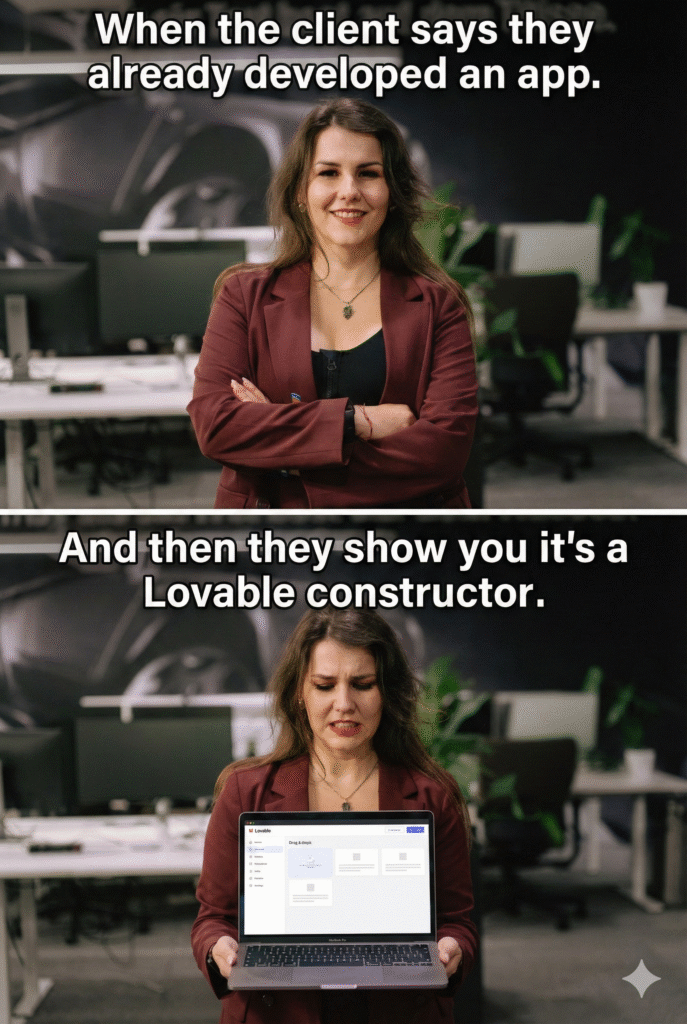
A founder bursts in, eyes bright, voice fast. “Look,” they exclaim, sliding the laptop over, “We built the AI application in four days.” It looks incredible. Clean UI. Smooth flows. It feels… real. That rare spark ignites: This might actually work.
Then I ask the single, chilling question: “How did you build it?”
The founder smiles. “Lovable AI.”
And in that moment, I knew the production architecture was missing. This is the story of how a brilliant prototype skips the foundation that saves a project from a costly rewrite.
Lovable AI: Why It Feels Like You Built an App, and Why You Actually Didn’t

Why Lovable Feels Like Falling in Love
Let’s be honest.
Lovable is a beautiful product.
It does something founders have wanted for years:
It collapses imagination into reality instantly.
You describe your idea in words, and suddenly it exists.
Screens appear.
Pages connect.
The thing you’ve been carrying in your head is now visible.
Your brain releases dopamine.
It feels like progress.
It feels like momentum.
It feels like you’re already halfway to launch.
And for the first time, the distance between
“idea” and “product” feel small enough to cross.
So you buy more tokens.
Just one more iteration.
Just one more screen.
Just one more tweak.
This isn’t an accident.
Lovable isn’t just a tool; it’s a perfectly engineered emotional experience.
What Lovable Actually Is (When You Strip Away the Magic)
At its core, Lovable is best understood as:
Figma + Webflow + ChatGPT, wrapped in a product that feels like shipping.
You:
- Describe an idea in text
- Get auto-generated UI
- Add basic logic
- connect simple APIs
- show something clickable
That’s not a failure.
That’s exactly what it’s designed to do. But for a cheaper option, you can use:
- UX development APP
- Figma development App from Ann
And for certain things – it’s fantastic.
The difference between a prototype and an application
A prototype answers:
- “Does this idea make sense?”
- “How might the user interact with it?”
- “Is this visually understandable?”
An application must answer:
- How is state stored and retrieved?
- How are user sessions managed?
- What happens when APIs fail?
- How is data validated and secured?
- How does logic scale with users?
- How are errors handled and recovered?
- How do we update without breaking users?
Lovable primarily addresses the first category.
Core architectural limitations of Lovable
1. Lack of explicit backend architecture
Lovable abstracts logic away from the developer.
This means:
- no explicit data models
- no clear separation between frontend and backend
- no control over execution order
- no deterministic workflows
In production systems, architecture precedes UI.
In Lovable, UI often precedes architecture, which reverses best practice.
2. Weak state management
Real applications must maintain:
- long-lived user context
- historical decisions
- conditional flows based on past behavior
- partial completion states
Lovable behaves largely as a stateless or shallow-state system.
This becomes a blocking issue for:
- subscriptions
- personalization
- mental-health applications
- financial logic
- multi-step AI reasoning systems
3. Hidden logic and limited debuggability
Because logic is generated and abstracted:
- developers cannot inspect execution paths easily
- debugging becomes guesswork
- performance bottlenecks are opaque
- failures are difficult to trace
This violates a core engineering principle:
If you cannot observe it, you cannot scale it.
4. AI behavior is not sufficiently constrained
Lovable is optimized for:
- fluent text
- helpful tone
- creative completion
It is not optimized for:
- strict analytical protocols
- domain-specific safety constraints
- controlled reasoning pipelines
- ethical guardrails (especially critical in mental-health or finance)
This leads to AI improvisation, acceptable in demos, dangerous in production.
5. Limited scalability and evolution path
As products evolve, they require:
- authentication layers
- analytics
- billing
- user history
- A/B testing
- multi-platform deployment
Lovable does not provide a clean path to:
- extract backend logic
- reuse core reasoning
- refactor without major rewrites
As a result, many teams eventually face a binary choice:
freeze growth or rewrite from scratch.
You can lose more than half a million if you don’t understand how applications are actually built
I don’t want this article to sound like criticism only.
So let me switch roles for a moment, not as an observer, but as someone who paid for these mistakes personally.
Several of the examples below are my own projects.
Projects where money was spent.
Sometimes a lot of money.
And no, the main problem was not Lovable, not bad developers, and not even bad intentions.
The main problem was not understanding what application development actually requires.
Architecture: the mistake that comes first (and costs the most)
One of the most common failures I see, and lived through, looks like this:
“We already built the UI/UX. Now let’s connect the backend.”
Sounds logical.
It’s also backwards.
Fail example
In one project, an entrepreneur spent weeks polishing UI/UX screens.
Beautiful flows. Perfect onboarding. Smooth animations.
There was just one problem:
We didn’t have:
- data models
- user states
- system logic
- architecture decisions
The UI was designed in a vacuum.
When backend work started, we discovered that:
- half of the screens had no logical foundation
- flows contradicted each other
- key user states were impossible to support
The UI had to be redesigned almost entirely.
Money burned: not because the design was bad,
but because architecture came too late.
Lesson:
UI does not define the system.
Architecture does.
Deployment and performance: the invisible killers
Another expensive category of mistakes is deployment ignorance. Moreover, unfortunately, some of companies owners don’t conduct technical interviews. Sometimes the communication could be great, but thats not enough for great execution. Moreover, the majority start without any architecture and development plan. Should I explain how much money they would lose? I think in seperate article.
Founders often assume:
“If it works locally, it works.”
It doesn’t.
Fail example (X startup)
An investor spent thousands on an application that:
- had no security review
- had no performance constraints
- had no clear backend separation
On demo – everything looked fine.
Under real usage, the system became unstable.
At some point, the only reasonable option was:
Rebuild from scratch.
Not refactor.
Not optimize.
Rewrite.
This is not rare.
This is extremely common.
Lesson:
If you don’t understand where your code runs, how it scales, and how it fails, you don’t have an application yet.
“Best practices” learned the hard way
The most painful lesson came later.
Fail example (X)
Investors put over half a million dollars into a product that:
- technically worked
- looked finished
- had users
During a deep code review, something became clear:
The system was so poorly structured that fixing it would cost more than rewriting it.
So it was rewritten.
From zero.
The amount of loss? 700k
Why this keeps happening (and why it’s not stupidity)
Most founders are smart.
Most developers are capable.
The real issue is simpler:
People don’t know what they don’t know about application development.
And tools like Lovable amplify this gap by:
- hiding complexity
- abstracting logic
- rewarding visuals over systems
You feel progress without building foundations.
What you actually need to understand to build your app alone
You don’t need to become a senior engineer.
But you do need literacy in these areas:
1. Architecture
You must be able to answer:
- where logic lives
- how data flows
- how user state is stored
- what happens step by step
2. UX connected to logic
UX must reflect:
- real system behaviour
- real constraints
- real edge cases
Not imagination.
3. Deployment & servers
You should know:
- where your app runs
- how requests reach it
- what happens under load
- how failures are handled
4. Debugging and iteration
Shipping is not “it works”.
Shipping is:
“I know how to fix it when it breaks.”
A practical AI-specific lesson: never trust one model
One of the most expensive AI mistakes is relying on a single LLM.
In serious projects:
- Claude may hallucinate → ChatGPT verifies
- ChatGPT may oversimplify → another model cross-checks
Using multiple LLMs is not overengineering.
It’s basic reliability.
The real takeaway
You don’t lose money because you use Lovable or any other application.
You lose money because you skip understanding what actually makes an app reliable.
Lovable can show you what your idea looks like.
It cannot tell you whether it will survive reality.
That part is still on you.
By the way, there are many better simulators of vibe coding – Figma AI.
What You Actually Need to Know to Build a Reliable Application
If we remove all hype, tools, and trends, a reliable application, especially one that uses AI, always rests on the same fundamentals.
I already wrote about how to enhance your business sales with AI. Here lets talk about how to build a business with AI.
These fundamentals do not depend on Lovable, n8n, or any other tool.
They depend on the engineering discipline.
Below is what founders and solo builders need to understand before choosing any platform.
1. Architecture: the invisible foundation
Architecture answers one question:
How does the system think and move when nobody is watching?
A production-ready application must clearly separate:
- Frontend what the user sees
- Backend how logic is executed
- AI layer where reasoning happens
- Data layer where state is stored
Without this separation:
- changes become dangerous
- bugs become unpredictable
- scaling becomes expensive
Minimum architectural clarity you need:
- where decisions are made
- where data lives
- what happens first, second, third
- what happens when something fails
UI-first development skips this, and pays later.
2. State and storage: memory is not optional
Real applications are stateful.
They must remember:
- who the user is
- what they already did
- what answers they gave
- what step they are on
- what should happen next
This requires:
- session handling
- persistent storage (database or structured storage)
- clear rules for reading and writing data
If your app cannot explain where user state is stored, it is not ready for production.
3. Logic orchestration: AI must not “decide everything”
One of the biggest mistakes in AI apps is letting the model control the flow.
In reliable systems:
- AI generates content
- the system controls logic
That means:
- when AI is called
- which prompt is used
- what inputs are allowed
- what outputs are accepted
- what happens if the output is wrong
This is why orchestration matters more than “smart prompts”.
4. Error handling and failure paths
Production systems assume failure.
APIs fail.
Models hallucinate.
Networks break.
Users do unexpected things.
A reliable app must define:
- what happens when AI returns nonsense
- what happens when an API times out
- what happens when data is missing
- what the user sees when something breaks
If you cannot answer these questions, your app is still a prototype.
5. Deployment and servers: where your app actually lives
Every application runs somewhere.
You must know:
- which server executes your logic
- how requests reach it
- how it scales with traffic
- how it is monitored
- how it is updated safely
This is where many “fast-built” apps collapse:
they work in demos, but not under real usage.
6. Features grow – systems must survive growth
A real product evolves.
Today:
- one form
- one AI response
Tomorrow:
- authentication
- subscriptions
- usage limits
- analytics
- history
- multiple AI models
- mobile clients
A reliable system is built so features can be added without rewriting everything.
Why n8n Is a Practical Solution (Not a Magic One)
n8n is not exciting in the same way Lovable is, and that’s exactly why it works.
It operates at the backend orchestration layer, where real reliability lives.
What n8n gives you:
- explicit, visible logic flows
- deterministic execution order
- state passed step by step
- clear integration points
- controlled AI usage
- separation of concerns
In n8n:
- AI is a node, not the brain
- logic is visible, not hidden
- errors can be handled explicitly
- workflows can be audited and refactored
This makes it especially suitable for:
- AI applications
- mental-health and finance tools
- multi-step user journeys
- subscription-based products
- systems that must be predictable
A realistic development path (that actually works)
For solo founders and small teams, a reliable approach looks like this:
- Define architecture first
- what is frontend
- what is backend
- what is AI
- what is data
- Use tools like Lovable or Figma for visualization only
- not as system foundations
- Build core logic in an orchestration layer (n8n or custom backend)
- deterministic flows
- controlled AI calls
- Connect frontend to backend via clean APIs
- frontend becomes replaceable
- logic remains stable
- Add storage, limits, and monitoring early
- not after problems appear
This path feels slower at first,
but it prevents rewrites, security issues, and investor disappointment later.
Final perspective
Lovable is not the problem.
Using it as a foundation is.
Reliable applications are not built by generating screens.
They are built by designing systems.
If your product:
- matters to users
- handles sensitive data
- uses AI for decisions
- plans to scale
Then you need:
- architecture
- orchestration
- state
- control
Tools like n8n exist precisely for this layer,
not to replace thinking, but to make it executable.
The earlier you accept this,
the cheaper, safer, and more successful your product will be.
Conclusion: The Hard Truth About Building Real Applications
The rush of seeing an idea materialize in four days is intoxicating, it is the modern-day equivalent of an artist’s first sketch. Tools like Lovable AI are brilliant at delivering this emotional spark and proving visual feasibility (the prototype). However, their strength in hiding complexity is also their fatal flaw when moving to production.
You lose money, not because you used a “fast tool,” but because you skipped the Architectural Due Diligence that a reliable application demands.
| Prototype Focus (Lovable) | Application Focus (Reality) |
| Speed: Get to a clickable UI fast | Reliability: Handle errors, security, and scale |
| Logic: Generated and Hidden | Logic: Visible, Orchestrated, and Deterministic |
| State: Stateless or Shallow | State: Persistent (Databases), Secure, and Long-Lived |
| Goal: Answer “Does this idea make sense?” | Goal: Answer “Will this survive reality?” |
Frequently Asked Questions (FAQ) on Lovable AI and Application Development
This FAQ addresses the core distinction between rapid prototyping tools like Lovable AI and the requirements for building a reliable, production-ready application, as discussed in the article.
Understanding Lovable AI & Prototypes
Q1: What is the main benefit of using a tool like Lovable AI?
- A: The main benefit is speed and visualization. Lovable AI excels at quickly collapsing an idea into a tangible, clickable prototype with a clean UI, basic flows, and some initial logic. It allows founders to rapidly validate a concept and get the “spark” of progress.
Q2: Why is using Lovable AI for a full application a risk?
- A: The primary risk is the lack of architectural foundation and control. Lovable abstracts away crucial system components (backend, state management, logic execution). This leads to:
- Weak State Management: Difficulty handling long-lived user context, subscriptions, or multi-step conditional flows.
- Hidden Logic: Opaque performance bottlenecks, difficult debugging, and non-deterministic (unpredictable) workflows.
- Limited Scalability: No clean path to add essential features like robust authentication, complex analytics, or refactor core logic without major rewrites.
Q3: What is the key difference between a “Prototype” and an “Application”?
- A:
- A Prototype answers: “Does this idea make sense? Is it visually understandable?”
- An Application answers: “How is data secured and stored? How does logic scale under load? What happens when APIs fail? How is it maintained and updated?”
Architectural & Development Best Practices
Q4: The article states “Architecture precedes UI.” What does this mean, and why is it important?
- A: It means you must define the system logic and data flow before designing the user interface. Designing the UI first (UI-first development) often leads to screens and flows that are impossible or highly inefficient to support with a real backend. This forces costly redesigns when trying to “connect the backend” later. UI defines the experience; Architecture defines the system.
Q5: What are the minimum architectural components a founder needs to understand?
- A: You need clarity on the separation of concerns:
- Frontend: What the user sees (UI/UX).
- Backend: Where logic is executed (Orchestration).
- Data Layer: Where user state and persistent data are securely stored (Storage).
- AI Layer: Where reasoning happens, controlled by the Backend (Logic).
Q6: Why is state management so critical for a real application?
- A: A production application must be stateful; it needs a memory. It must reliably remember who the user is, what they have done (history), what step they are on (partial completion), and make conditional decisions based on past behavior. Stateless systems cannot support complex features like subscriptions, personalization, or secure financial logic.
The Role of Orchestration (e.g., n8n)
Q7: If Lovable is for prototyping, what is a better tool for building the core logic?
- A: Tools focused on backend orchestration and deterministic logic, such as n8n, are more suitable. They allow you to:
- Create explicit, visible logic flows.
- Define a deterministic execution order (step-by-step control).
- Treat the AI as a controlled node or function, not the ultimate decision-maker.
Q8: How does using an orchestration layer like n8n help with AI reliability?
- A: It enforces control and guardrails. In a reliable system, the AI generates content, but the system controls the logic. n8n lets you define when the AI is called, which prompt is used, what inputs are allowed, and, most importantly, what happens if the AI returns nonsense (error handling). This prevents “AI improvisation” in production.
The Financial Takeaway
Q9: The article mentions losing more than half a million dollars. How does this happen?
- A: This cost comes from avoidable rewrites. Money is burned on:
- Designing a beautiful UI that must be scrapped because it contradicts the necessary backend architecture.
- Launching a system that fails under real load or has critical, hidden security flaws.
- Realizing the foundational code structure is so poor that fixing it costs more than starting over (a complete rewrite).
Q10: What is the “real takeaway” for founders?
- A: You don’t lose money because you used a fast tool; you lose money because you skipped the fundamental understanding of engineering discipline. The most valuable skill is not being able to code, but having the architectural literacy to ask the right questions and ensure your product is built on a reliable, scalable foundation.