
You had a great idea. You recorded it. Then editing swallowed your entire day. If that sentence lands, you already know the problem this article is about. Cutting silences by hand, syncing captions word by word, re-recording audio because the first take had too much room noise, then exporting three different formats for three different platforms. By the time the video goes live, you have no energy left to actually create the next one.
That cycle is not a productivity problem. It is a growth problem. Fewer videos means slower audience growth, and slower growth means every hour you spend editing costs you more than just time. This article walks through exactly how Veed.io changes that equation, with specific features, real numbers, and an honest look at where it fits and where it does not.
The Real Cost of Video Editing Nobody Talks About
The Numbers Behind the Burnout
Video content is no longer optional for creators who want to grow. Consider what the data actually shows:
- Over 500 hours of video are uploaded to YouTube every single minute, meaning the competition for attention is compounding daily.
- Short-form video has the highest return on investment of any content format, according to HubSpot’s 2024 State of Marketing report.
- 85 percent of social video is watched without sound, making captions a baseline requirement rather than an optional extra.
- Creators who publish 3 or more videos per week grow their audience up to 3 times faster than those who publish once a week, according to YouTube’s own creator research.
- The global video editing software market is projected to reach $3.2 billion by 2030, driven largely by AI-powered tools entering the space.
- A 2024 survey by Wyzowl found that 91 percent of businesses use video as a marketing tool, up from just 61 percent in 2016.
The bottleneck is not ideas, equipment, or confidence on camera. It is the editing pipeline. A 20-minute raw video can take four to six hours to clean up manually, and that is before you add captions, find background music, or cut a short clip for Instagram Reels. For a blogger managing a 25k-subscriber Instagram account, that math simply does not work.
The specific tasks that eat the most time are rarely the creative ones. Scrubbing a timeline to find and cut every pause, adjusting audio levels clip by clip, manually typing or correcting auto-captions, and reformatting the final export for YouTube, TikTok, and Instagram separately. None of those tasks require creative judgment. They just require time, and time is the one resource creators never have enough of.
The Importance of Editing Videos
The hook pulls people in. The edit keeps them there. And that second part matters more than most creators admit, because the algorithm is watching exactly how long each viewer stays, and it rewards the videos that hold attention, not just the ones that attract it. Research from Wistia, drawn from millions of video plays, shows that videos under two minutes retain close to 80 percent of their audience, while longer videos without disciplined pacing lose viewers sharply after the first sixty seconds. That drop is not about the topic. It is about the cut. Wyzowl’s 2024 State of Video Marketing report found that 84 percent of consumers say a brand video directly influenced a purchase decision, which means the edit is not a finishing step; it is a conversion variable. A rough cut, a dip in audio, a caption that arrives two seconds late, any of these is enough to break the spell and send a viewer somewhere else. Half the success of a video, often more, lives inside the edit.
Wistia, drawing on analysis of millions of plays, found that videos under two minutes retain close to 80 percent of their audience, while longer videos without disciplined pacing lose viewers sharply after the first sixty seconds. Every rough cut, every audio dip, every unnecessary pause is a moment a viewer who was ready to stay chooses to leave. Verizon Media research found that 69 percent of people watch video with sound off in public, and 80 percent are more likely to finish a video when captions are present, which means adding captions is not an accessibility option; it is a retention mechanism with a direct line to completion rates and purchase intent. Every hour a creator or editor spends manually stripping silences or chasing a frequency spike is an hour diverted from content that compounds. AI tools do not replace the skilled judgment that makes editing matter. They absorb the low-judgment layer so that judgment finally has room to work.
A rough cut, a dip in audio, a caption that arrives two seconds late, any of these is enough to break the spell and send a viewer somewhere else. Half the success of a video, often more, lives inside the edit. Editing sits at the center of everything. It is where a video either holds its audience or quietly loses them, and it is also, without much competition, the single biggest drain on a creator’s time.
What Is Veed.io and Why Is It Different From Other AI Video Editors
Not Just Another AI Video Maker
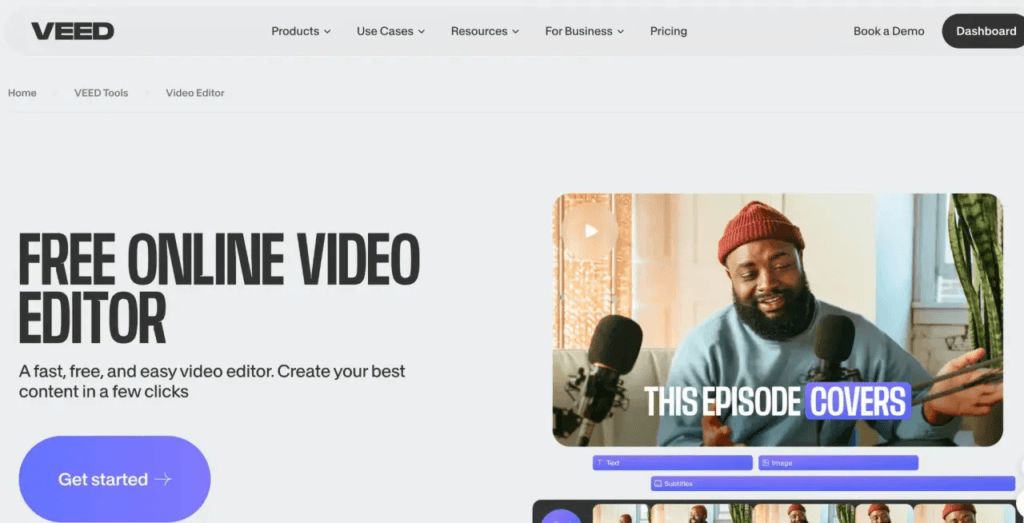
Veed.io is a browser-based AI video editor built for creators who need professional results without a professional post-production budget or a six-month learning curve. There is nothing to download and no complex interface to navigate before you can start producing. It sits in a specific and useful position in the market: more capable than basic free tools, far more accessible than professional suites like Premiere Pro or DaVinci Resolve.
When I first started using it, they offered a discount on the first month so I could get used to the service without financial pressure. That kind of entry point matters when you are evaluating a new tool while still trying to keep your publishing schedule running. And when I had questions during that first week, the support team responded almost immediately with genuinely useful answers, not template replies. That responsiveness makes a real difference when you are learning something new on a deadline.
The platform is designed around the idea that your workflow should stay in one place. Upload, edit, caption, translate, clip, and export without switching between five different apps. That single-platform approach is what separates it from most competitors, which tend to do one or two things well and leave you to figure out the rest elsewhere.
Who Actually Uses Veed.io
The core users are bloggers publishing regularly to Instagram, YouTube, and TikTok who need to maintain a consistent output without hiring an editor. A blog with 25,000 Instagram subscribers cannot afford to spend six hours per video in post-production and still keep up with the publishing cadence that platforms reward. Veed.io handles the mechanical work so the creator can stay focused on the content itself.
Multilingual creators are a second major group. If you are producing content in one language but your audience spans multiple regions, the translation and lip-sync features are genuinely useful in a way that most tools are not. Freelance editors rounding out the third group use it to increase their project capacity without increasing their hours, which directly protects their rates and their margins.
Veed.io vs. Other Popular AI Video Editors: How It Stacks Up
Before committing to any AI video editing tool, it helps to see exactly what you are getting compared to the alternatives. Here is an honest side-by-side breakdown of the most popular platforms creators are currently evaluating.
| Feature | Veed.io | Descript | Kapwing | Runway | InVideo |
|---|---|---|---|---|---|
| Auto Silence Removal | Yes – one click | Yes | Limited | No | No |
| AI Captions with Styling | Yes – branded styles | Yes | Yes – basic | No | Yes |
| Voice Cloning | Yes | Yes | No | No | No |
| Translation with Lip-Sync | Yes | No | No | No | No |
| Auto Shorts Creation | Yes | No | Yes – basic | No | Yes |
| Built-in Stock Library | Yes – video and music | No | Yes | Yes – video only | Yes |
| Voice Enhancement | Yes – automatic | Yes | No | No | No |
| Browser-Based (No Download) | Yes | Yes | Yes | Yes | Yes |
| Free Tier Available | Yes | Yes | Yes | Yes – limited | Yes |
| Paid Plan Starting Price | ~$18/month | ~$24/month | ~$16/month | ~$15/month | ~$20/month |
| Best For | Full creator workflow | Podcast and audio-first | Team collaboration | Cinematic AI effects | Template-based content |
The comparison makes one thing clear: Veed.io is the only platform that combines lip-sync translation, voice cloning, silence removal, and a built-in stock library in a single workflow. If you need even two of those features, you are otherwise looking at multiple subscriptions and a fragmented production process.
The Features That Actually Save You Time and Make Videos Look Professional
Remove Silences in Minutes, Not Hours
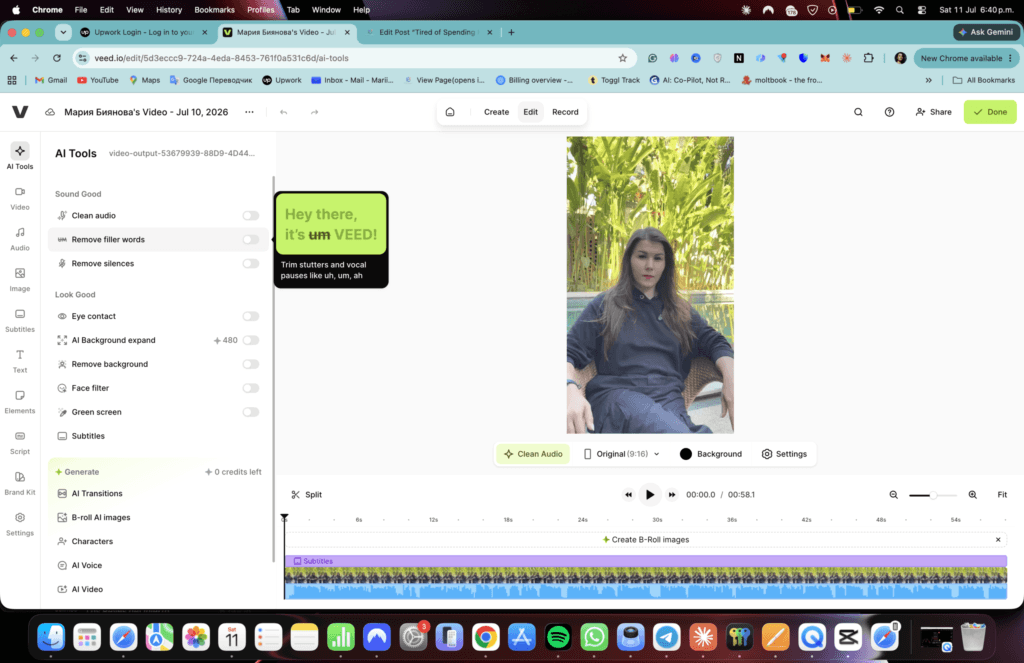
Auto silence removal is one of the most underrated features in any AI video editor, and Veed.io does it well. What used to mean 45 minutes of scrubbing a timeline frame by frame now takes a single click. Upload a 20-minute raw interview recording, run silence removal, and the tool automatically identifies and cuts every dead pause, often bringing that 20 minutes down to a tight 12 without a single manual edit.
This matters beyond just saving time. Tighter videos hold viewer attention longer, and longer watch time signals quality to platform algorithms on YouTube and Instagram alike. Every unnecessary pause you remove is a small improvement in your video’s performance. At scale, across dozens of videos, that compounds into a measurable difference in reach.
AI Captions That Actually Look Good
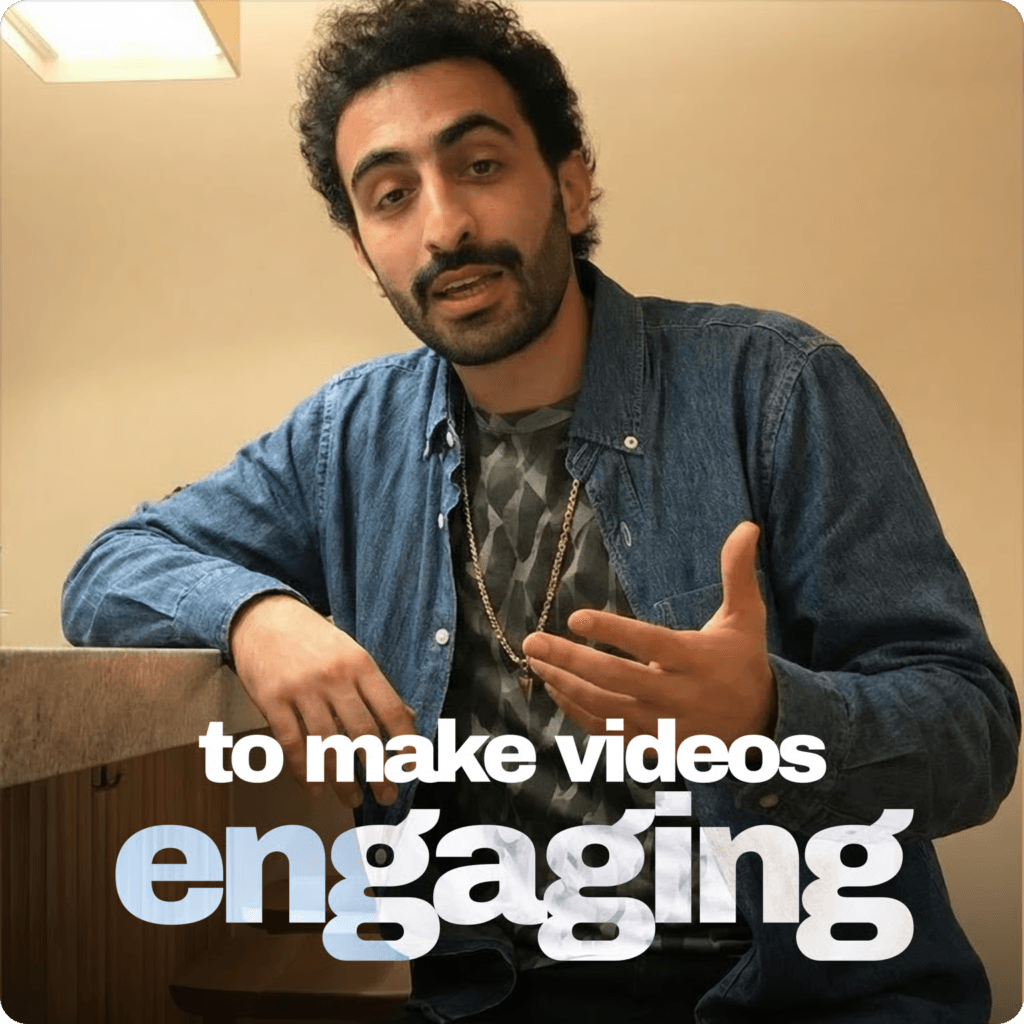
About 85 percent of social video is watched without sound. Captions are not an accessibility feature anymore. They are a baseline requirement for any video intended to perform on social platforms. Veed.io generates auto-captions synced to speech with high accuracy, then lets you apply popular styles that match trending formats on Instagram Reels and TikTok without manually formatting a single line of text.
You can customize fonts, colors, and positioning so captions feel native to your brand rather than looking like an afterthought. The styling options are specific enough to matter. A caption that looks polished and on-brand contributes to the overall professionalism of the video, which affects how new viewers perceive your content in the first two seconds. When combined with the translation features, captions also open up multilingual SEO benefits that most creators are not currently capturing.
Voice Enhancement and Voice Cloning
Voice enhancement runs on your audio automatically and does three things at once: it removes background noise, balances audio levels across the recording, and brings home recordings up to something close to studio quality. If you have ever published a video where the audio sounded slightly hollow or had air conditioning hum in the background, this feature alone is worth the price of admission.
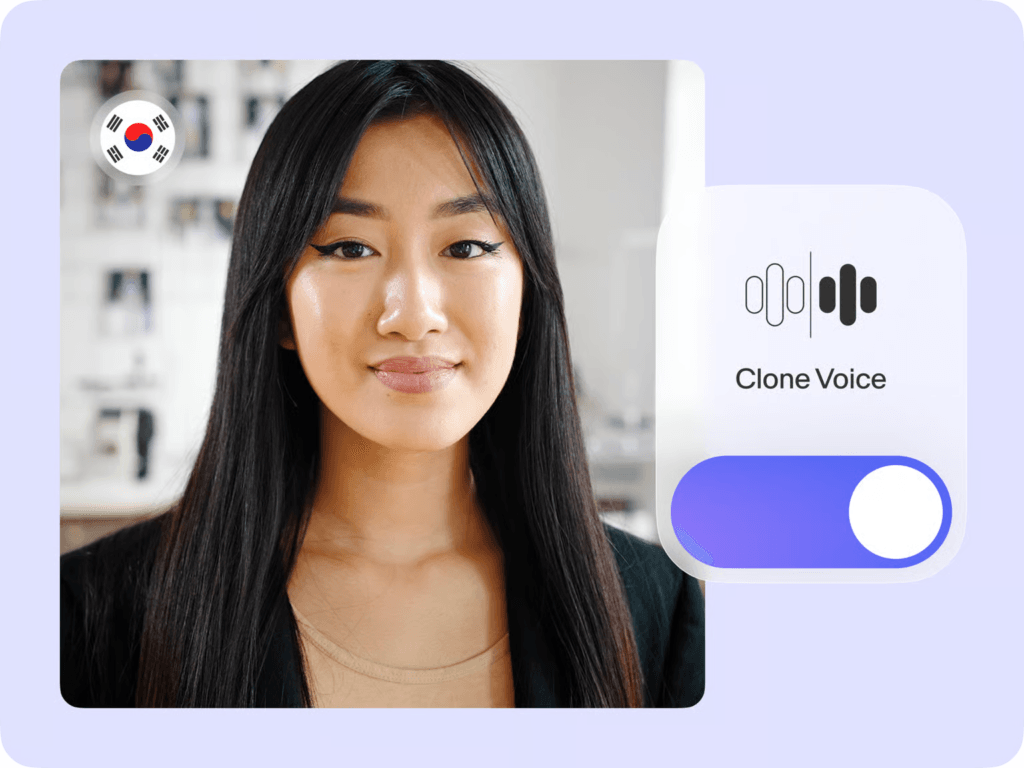
Voice cloning goes further. You record a sample of your voice once, and Veed.io creates a cloned version that can be used for corrections, narrations, and future edits without you re-recording anything. The practical use case is simple: you recorded a strong video but flubbed two sentences in the middle. Instead of re-recording the entire segment or publishing with the mistake, your cloned voice fixes those two lines in seconds. This is where Veed.io clearly separates itself from a basic free AI video maker that only handles cuts and captions.
Translation With Lip-Sync and Original Voice Preservation
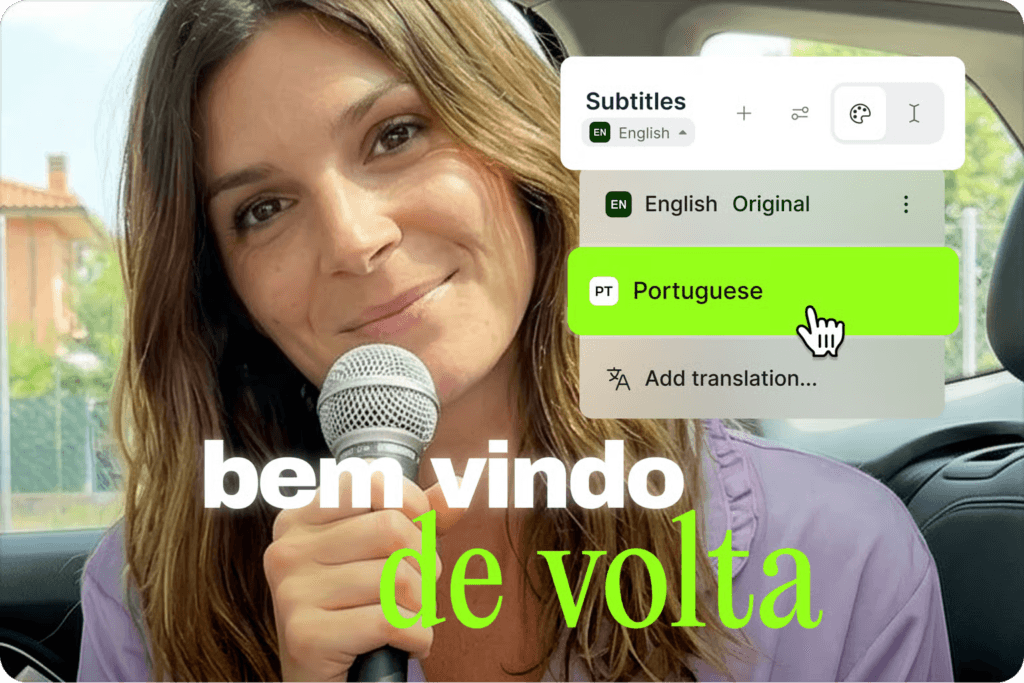
This is the feature multilingual creators have been waiting for. Veed.io translates your video into a target language while preserving your original voice tone through voice cloning technology. The lip-sync adjustment then matches the mouth movements in the video to the translated audio, so the result does not look like a badly dubbed foreign film. It looks and sounds like you recorded the video in that language.
The practical scenario is straightforward. A Spanish-speaking creator translates their best-performing video into English for a global audience without hiring a dubbing studio or re-recording anything. The same video now reaches two distinct audiences from a single recording session. As artificial intelligence video editing continues reshaping how content travels across languages and markets, creators who can reach multilingual audiences have a structural advantage that compounds over time.
Create Viral Shorts From Long Videos Automatically
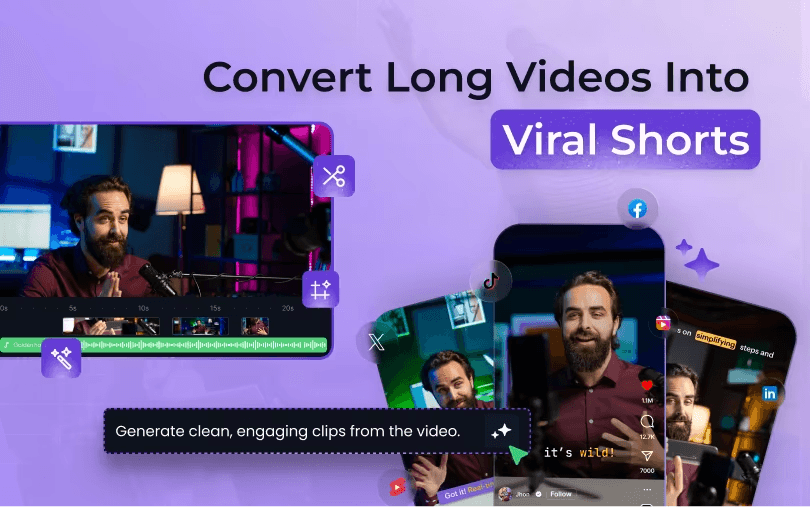
Upload one long video and Veed.io identifies the strongest moments, then exports them as short clips optimized for Reels, YouTube Shorts, and TikTok. The real-world math here is compelling. One 30-minute blog video can become five to eight shareable clips in under 20 minutes, without you watching the footage again or making a single manual cut decision.
Short-form content drives discovery on every major platform right now. Long-form content builds depth and trust. You need both, and most creators cannot produce both without doubling their production time. This AI clip maker feature closes that gap directly. It is also one of the most effective ways to extend the life of content you have already created, turning a single recording session into a week of publishing material. If you want to understand how short-form content fits into a broader publishing strategy, our article on short-form video strategy for bloggers covers the full picture.
Stock Videos, Music, and Effects Built Right In
Most creators currently move between four or five platforms to assemble a single video: one for B-roll footage, another for licensed music, another for transitions and effects, and then back to the editor to put it all together. Veed.io keeps all of that inside a single workflow. The stock library includes footage, licensed music tracks, and visual effects that you can drop directly into your timeline without leaving the platform.
For bloggers, this is particularly useful when you need to cover a talking-head section with relevant visuals or add audio context to a complex topic without hiring a videographer. The time saved by staying in one workflow instead of hunting across multiple sites adds up quickly across a month of consistent publishing.
Veed.io in Practice: What It Looks Like for a Real Blog With 25k Subscribers
The Before Picture
Before using an AI video editor, the production process for a blog with 25k Instagram subscribers looked like this: record the video, spend an hour cutting silences manually, spend another hour on captions, spend 30 minutes finding and licensing background music from a separate platform, export three different formats, and then repeat the whole thing for the next video. The editing pipeline was consuming every available hour outside of recording.
Multilingual content was completely off the table. The cost of professional dubbing made it financially unrealistic, and subtitle-only translations were not delivering the engagement numbers that justified the effort. The bottleneck was not content quality or audience interest. It was purely the time cost of post-production.
The After Picture
After switching to Veed.io as the primary AI video creation software, production time per video dropped significantly. Captions became a one-click step instead of a 45-minute formatting session. Silence removal ran automatically on every upload. Shorts were generated from long videos without any additional recording, and background music came from the built-in library without switching platforms.
The blog now publishes more consistently, which directly feeds the Instagram growth engine. The first-month discount made it easy to commit without financial pressure, and the support team answered questions immediately when getting started, which shortened the learning curve considerably. The honest result is more content published per month with fewer hours spent in post-production.
The Numbers That Actually Matter for Creators
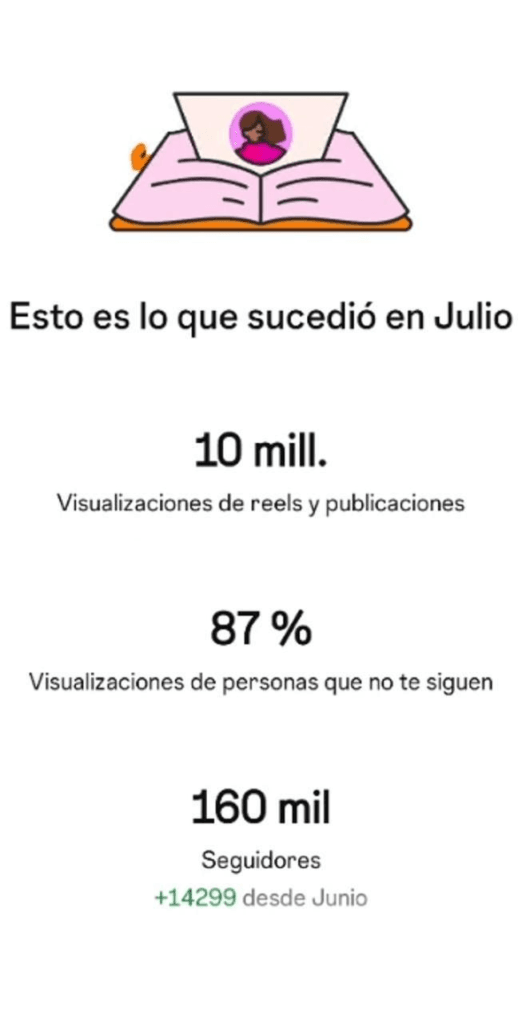
More videos are published per month without increasing hours worked. Shorts created from existing long-form content drive new followers without additional recording sessions. Consistent caption styling builds a recognizable brand look across every platform. Translation features opening access to audiences that were previously unreachable without a production budget.
These are not abstract benefits. They are measurable outputs that compound over time. A creator who publishes three videos per week instead of one, using the same recording time, is building audience growth at three times the rate. Over six months, that difference in publishing velocity becomes a significant gap in reach and authority.
If you seriously want to earn money from traffic from video platforms, let us help. We developed more than 20 different blogs with millions of subscribers. Follow our guidance, and we will help you to start earning from your niche.
Free vs Paid: What You Actually Get With Veed.io
What the Free AI Video Maker Plan Covers
The free tier includes basic editing, auto-caption generation, and limited exports. It is a legitimate starting point for creators who want to test the workflow before committing to a paid plan. You can get a genuine feel for how the interface works and whether the caption accuracy meets your standards without spending anything.
The honest limitations are worth naming. Exports on the free plan include a watermark, and access to voice cloning, lip-sync translation, and advanced silence removal is restricted. The free plan is not a bait-and-switch, but it is also not the full product. Think of it as a real test drive rather than a complete solution.
When Upgrading Makes Financial Sense
The calculation is straightforward. If editing currently takes you four hours per video and Veed.io brings that down to one hour, what are those three hours worth to you per week? For a freelance editor charging by the project, that time directly translates to additional project capacity. For a blogger, it translates to more videos published and faster audience growth.
Voice cloning, lip-sync translation, and silence removal at scale are paid features, but they pay for themselves quickly for anyone publishing regularly. The first-month discount is the practical entry point to experience the full feature set before committing long-term. Frame it as an investment in output velocity, not just a software subscription.
Getting Started With Veed.io Without Wasting Your First Session
The Fastest Way to See Results on Day One
Start with one raw video you already have. Upload it, run auto silence removal, and watch the timeline clean itself up without a single manual cut. Then generate captions and apply a style that matches your brand from the available presets. Use the clip creation tool to identify the best moments for short-form content, add background music from the stock library, and export.
A blogger new to the platform can complete that full workflow in under 30 minutes on the first try. The interface is intuitive enough that you do not need a tutorial to produce a usable result on day one. That first session is the fastest way to evaluate whether the tool fits your workflow, and it is more informative than any feature list or review article.
The Features Worth Exploring in Week One
Run voice enhancement on every video immediately. The audio quality improvement is instant and noticeable, even on recordings made in a quiet home office. If you have any existing videos with strong performance metrics, test translating one of them into a second language as a low-effort content expansion experiment. The effort is minimal and the potential reach upside is significant.
Set up voice cloning early so you have it ready for corrections and future narrations before you need it under deadline pressure. Pick your three longest existing videos and let Veed.io generate short clips from them, then publish those clips and measure the reach difference over two weeks. That data will tell you more about the tool’s value than any trial period.
One Mistake to Avoid as a New User
Do not try to master every feature in the first week. The temptation is to explore everything at once, but that approach leads to overwhelm rather than results. Start with the three features that solve your biggest current pain: silence removal, captions, and shorts creation. Once those are part of your regular workflow, layer in voice cloning and translation.
The support team is extremely friendly and answers immediately, so use them when you hit a wall instead of spending an hour guessing. A quick message will save you more time than any tutorial.
The Bigger Picture: Why AI Video Editing Is No Longer Optional for Creators
The Content Volume Problem Is Getting Worse
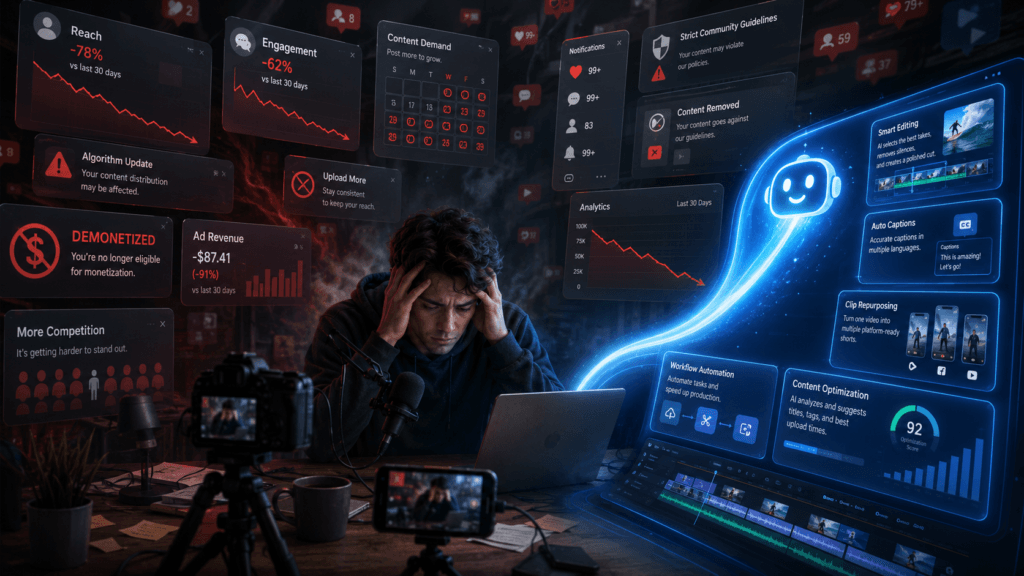
Platforms are rewarding frequency and consistency more aggressively than ever. Creators who publish once a week are losing algorithmic ground to those publishing daily across multiple formats. The only sustainable way to close that gap without burning out is through AI video editing tools that compress the production cycle without compressing the quality.
This is not about replacing creativity. It is about removing the mechanical work that blocks it. Every hour spent cutting silences manually is an hour not spent developing better content, building audience relationships, or creating the next video. AI tools handle the mechanical layer so the creative layer can operate at full capacity. For more on how AI is changing the creator economy broadly, our piece on AI tools for content creators in 2025 covers the wider landscape.
Multilingual Content Is the Next Growth Frontier
Global audiences are growing faster than local ones for most niches, and creators who can deliver content in multiple languages with authentic voice and natural lip-sync have a structural advantage that is only going to widen. Veed.io makes this accessible without a translation budget, a dubbing studio, or any additional recording time.
The practical framing is simple. One video, three languages, three times the potential reach, same recording session. For a creator already investing time in production, the marginal cost of reaching a second or third language audience through Veed.io is close to zero. That asymmetry is one of the most compelling arguments for adopting the platform now rather than later.
The Creators Who Adapt Now Will Be Ahead Later
The gap between creators using AI video creation software and those editing manually is widening every month. Editors who adopt these tools now are protecting their rates and their client capacity against a market that is moving toward faster, cheaper turnarounds. Bloggers who integrate Veed.io into their workflow now are building a publishing velocity that compounds over time into audience growth and genuine platform authority.
The window to get ahead of this shift is still open, but it is not permanent. Creators who are already using these tools are publishing more, reaching wider audiences, and building stronger algorithmic signals. The ones who wait are not just falling behind on features. They are falling behind on the compounding growth that consistent, high-volume publishing produces.
Final Verdict: Is Veed.io Worth It for Bloggers and Editors in 2025?
The Honest Summary
Veed.io is not a perfect tool. No AI video editor is. But it solves the right problems for the right people with a level of comprehensiveness that most competitors do not come close to matching. If your bottleneck is editing time, caption consistency, silence removal, or multilingual reach, it directly addresses all four in a single platform.
The feature set is genuinely complete for a creator-focused workflow: voice cloning, lip-sync translation, shorts creation, stock library, visual effects, and auto-captions all in one place. The free tier is a legitimate starting point rather than a stripped-down trap. The first-month discount removes the financial risk of testing it properly with the full feature set active from day one.
Who Should Sign Up Today
Bloggers publishing video content regularly who are spending more than two hours per video in post-production will see an immediate and measurable return. Creators with multilingual audiences who want to expand reach without hiring dubbing studios will find the translation and lip-sync features genuinely useful in a way that most platforms simply do not offer.
Freelance editors who need to increase their project capacity without increasing their hours will benefit from the automation of every repetitive task in the production pipeline. And anyone who has tried a free AI video editor and found it too limited but is not ready to commit to expensive professional software will find Veed.io hits the right balance of capability and accessibility.
Who Might Need Something Different
Creators producing highly cinematic content that requires frame-by-frame color grading and advanced visual effects compositing will hit the limits of what Veed.io offers. Studios with dedicated post-production teams and established full workflows in Premiere Pro or DaVinci Resolve are not the target user. Veed.io is built for speed, accessibility, and creator-focused workflows, not Hollywood-level production pipelines.
For everyone else – and that is the vast majority of bloggers, content creators, and freelance editors working today – it is the most practical AI video editor available at this price point. The combination of features, the single-platform workflow, and the accessible entry point make it the clearest choice for creators who need to publish more without working more.
Quick Reference: Veed.io Features and What They Solve
Feature -to-Problem Match
- Auto Silence Removal solves hours of manual timeline scrubbing for bloggers and podcasters who record long raw takes.
- AI Captions solves missing accessibility, low watch time on muted social feeds, and inconsistent caption branding across platforms.
- Voice Enhancement solves poor audio quality from home recordings, noisy environments, and inconsistent microphone levels across a single recording.
- Voice Cloning solves the need to re-record entire videos to fix small mistakes, and enables consistent narration tone across future content.
- Translation With Lip-Sync solves language barriers that block multilingual audience growth without requiring a dubbing studio or additional recording sessions.
- Shorts Creation From Long Videos solves the lack of short-form content without extra recording, turning one session into a week of publishing material.
- Stock Video and Music Library solves the need to source B-roll and licensed audio from multiple external platforms, keeping the entire workflow inside one tool.
- Visual Effects and Filters solves bland, unpolished video output that does not match the production quality of professional competitors in your niche.
- Popular Caption Styles solves the time spent manually styling text to match trending formats on Instagram Reels and TikTok, making brand consistency effortless.
Your Next Step
Start With One Video, Not a Plan
The biggest mistake new users make is researching tools instead of testing them. You already have a raw video sitting on your hard drive from your last recording session. Upload it to Veed.io today, run silence removal, generate captions, and create one short clip from it. That single session will tell you more about whether this tool fits your workflow than any review article, including this one.
Use the first-month discount to access the full feature set from day one so you are testing the real product, not the stripped-down free version. The goal is not to evaluate features in the abstract. It is to see whether your specific editing pain gets solved, and the only way to know that is to run your actual content through the platform.
Where to Go After Your First Video
Once you have completed that first session, set a publishing goal for the next 30 days that would have been impossible with your old editing workflow. Maybe that means publishing three times a week instead of once. Maybe it means finally producing short clips from your existing long-form content. Maybe it means translating your best video into a second language and measuring the reach difference.
Track one metric that matters to you: videos published per month, new followers driven by shorts, or hours saved per week in post-production. The support team is fast and genuinely helpful when you have questions, so reach out rather than guessing. Let the results make the case. The features list is just the starting point. What you publish in the next 30 days is the actual test.
Ready to cut your editing time and publish more without burning out? Explore the full feature set at Veed.io and start with the first-month discount so you can test everything that actually matters before committing long-term.